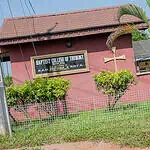
FCE (T) Bichi PDE Admission Form 2020/2021
Federal College of Education (Techincal) Bichi, Kano State, Professional Diploma in Education (PDE) admission form for the 2020/2021 academic session is out.

Applications are invited form suitably qualified candidates for admission into the Federal College of Education (Techincal) Bichi, Kano State, Professional Diploma in Education (PDE) programme for the 2020/2021 academic session.
Prepare for JAMB, WAEC, NECO, BECE, NCEE and Post UTME
Practise CBT Exams on Mobile or PC
Prepare for Post UTME, WAEC, NECO, JAMB UTME, Junior WAEC (BECE) and Common Entrance (NCEE) with the MySchoolGist CBT App and Software. Use it on Android, iPhone or Windows to practise past questions anytime.
Need help choosing the right version? Chat with us on WhatsApp .
Alternative admission via JUPEB/IJMB programmes (SPONSORED)
Enter 200-Level Directly! Gain University Admission via JUPEB/IJMB . Enjoy Low Fees! Call 08033006849 Now!
Federal College of Education (Techincal) Bichi PDE Courses
The College offers programs leading to the award of Professional Diploma in Education (PDE) in the following areas:
I. School of General Education
A). Professional Diploma in Education (PDE)
Federal College of Education (Techincal) Bichi PDE Admission Requirements
I). PDE
A). For PDE Program a candidate must have either of the following HND, B,Sc./B.A, M,Sc or its equivalent and Ph.D without Education.
How to Apply for Federal College of Education (Techincal) Bichi PDE Admission Form
Interested candidates should visit the College WEBSITE at www.fcetbichi.edu.ng to make a payment of N6600 for PDE Programs.
Important Tips
- Make sure you use a valid and personal email address while registering.
- Use your active mobile number or any other number that you'll be contacted through when necessary.
- Your password is your gateway to this portal. Choose an easy to remember password.
Application Method:
- Kindly Visit the FCET Bichi application portal via www.fcetbichi.edu.ng/portal/
- Click here to Create a Profile
- Login with Registered Username and Password
- Click on the Apply Now Tab
- Confirm Selected Programme (Note Your Reference I.D)
- Click on the Pay Now Button
- Confirm the Payment by Ticking on the I Agree box and Procced to pay via Remita
- Copy your RRR and walk into any bank to pay or visit remita.net and select "Pay an Invoice" to Process and complete your payment.
- After Successful Payment, Go Back, Complete and Submit Application Form Online.
NOTE: You can Pay Now using Internet Banking, Remita Mobile App or Cards/Wallets.
Applicants are strongly advised to adhere to the payment procedure guidelines, as any deviation may result in delay or outright invalidation of your payment.
All fees must be paid using Remita e-Payments and e-Collection platform. Beware of Fraudsters!
Deadline: not specified.
Share This Post: If this post helped you, share it with others! Use the buttons below to spread the word!
More Articles:
- Federal College of Education (Technical), Asaba PDE Admission Form for 2026/2027 Academic Session
- Federal College Of Education (Technical) Asaba Pre-NCE Admission Form for 2026/2027 Academic Session
- Federal College Of Education (Technical) Asaba NCE Part-Time Programmes Admission Form for 2026/2027 Academic Session
- Aminu Saleh College of Education, Azare (ASCOEA) Sallah Break 2026: Closure Dates, Exempted Staff and Resumption

- Isa Kaita College of Education, Dutsin-Ma (IKCOEDM) Summer 2026: Registration Date, Fees and Classes
- Corona College of Education Professional Diploma in Special Needs Education (PDSNE) Programme Admission Form 2026/2027

- Kaduna State College of Education TRCN PQEI Registration Fees and Payment Details

- Baptist College of Theology, Benin Conversion Programme 2026/2027: Requirements, Fees and Duration