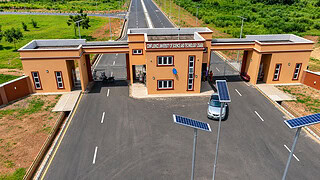
Sokoto State University has released details for admission into its diploma programmes for the 2026/2027 academic session, applications will commence on Monday, 28 September 2026 and will end on Sunday, 2 January 2027.
Fifteen diploma programmes are available and all will operate on a part-time basis from Friday to Sunday each week.
SSU Diploma Admission Dates
The application period is scheduled as follows:
- Commencement date: Monday, 28 September 2026
- Closing date: Sunday, 2 January 2027
Applicants will need to complete the required application steps before the closing date.
Available SSU Diploma Programmes
Sokoto State University has listed the following diploma programmes for the 2026/2027 academic session:
- Diploma in Accounting
- Diploma in Arabic
- Diploma in Computer Sciences
- Diploma in Criminology and Security Studies
- Diploma in Data Science
- Diploma in Educational Management
- Diploma in Environmental Impact Assessment DEIA
- Diploma in Estate Management and Evaluation
- Diploma in Ethnobotany
- Diploma in Guidance and Counseling
- Diploma in Hydrology and Water Resources Management
- Diploma in Legislative Studies
- Diploma in Mass Communication
- Diploma in Plants Science and Biotechnology
- Diploma in Public Policy and Administration DPPA
Mode of Study
All the diploma programmes will be operated on a part-time basis, with study scheduled from Fridays to Sundays every week.
The same weekend study arrangement applies across the listed programmes.
SSU Diploma Admission Requirements
Applicants are required to have four O' level credits in relevant subjects, including English and Mathematics.
These requirements apply to all the listed diploma programmes.
How to Apply for SSU Diploma Admission
Applications will be completed through the SSU application portal. Applicants will be able to review programme requirements before beginning the application.
1. Check the Preferred Programme
The applicant should select "More Information" beside the preferred programme to view its requirements.
After reviewing the course information, "Apply Now" should be selected to begin the application.
2. Create or Access an Account
Existing users can select "Login with Google" or log in manually. New applicants can select "Sign Up with Google" or register manually.
A valid email address and phone number are required. A verification code will be sent to the email address entered during registration.
3. Proceed to Payment
After logging in, the applicant should select "Proceed to Application Form", tick the two required boxes and select "Proceed to Payment".
The application fee is N6,000 only, excluding transaction charges. Payment instructions will be displayed on the payment page and access to the application form will be available after successful payment.
4. Check the Payment Status
Payment status can be checked from the "Transaction history" tab on the application portal.
The applicant can use this section to confirm the recorded payment before completing the form.
5. Complete and Preview the Form
The application form should be filled with the required details, after which the applicant should select "Preview & Submit".
The preview stage gives the applicant an opportunity to check the entered information.
6. Correct and Submit the Application
Where a correction is required before final submission, the applicant should select "Update Form" and edit the affected entry.
After the entries have been checked, "Submit Form" should be selected to complete the application.
SSU Diploma Admission Contact Details
Applicants with enquiries can contact Sokoto State University through:
- Phone: 08069501786
- Email: sosucons@ssu.edu.ng
SSU Diploma Application Troubleshooter
| Issue | What to Check | Action | Next Step |
|---|---|---|---|
| 📚 Programme details | The preferred diploma programme | Select "More Information" beside the course | Review the requirements before applying |
| 💳 Payment status | "Transaction history" on the portal | Confirm whether payment is recorded | Continue to the application form after successful payment |
| ✏️ Form correction | Entries shown during preview | Select "Update Form" | Correct the entry and preview again |
| ✅ Final submission | Completed application form | Select "Submit Form" | The application is complete after submission |