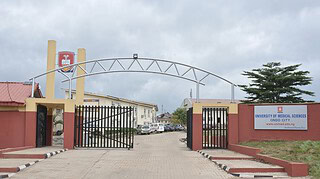
The University of Medical Sciences, Ondo has released its first and second admission batches for the 2026/2027 academic session.
The lists contain names of candidates offered provisional admission into various degree programmes and applicants can check their status online through the University admission portal.
UNIMED First and Second Admission Batches
The released admission list covers the first and second batches for the 2026/2027 academic session.
Candidates who took part in the Post UTME process can check whether provisional admission has been offered.
The checking process is online.
How to Check UNIMED Admission Status
Candidates can use the UNIMED admission portal.
The steps are:
- Open the UNIMED admission portal.
- Enter the candidate's JAMB registration number.
- Enter the payment transaction ID.
- Click "Application Login".
- Select "Admission Status".
- Check whether an admission offer is displayed.
A campus noticeboard visit is not required for the stated checking method.
Steps After UNIMED Admission Is Confirmed
Candidates who find an admission offer will need to complete the stated JAMB process.
They should use the JAMB CAPS admission guide to accept or reject the offer.
Candidates who accept the admission can then print their JAMB admission letter.
Checking UNIMED Admission Through JAMB
Candidates may also cross-check their admission position through the JAMB eFacility portal.
The stated process is:
- Visit JAMB eFacility.
- Log in with the candidate's JAMB username and password.
- Select "Check Admission Status".
- Open "Access my CAPS".
- Select "Admission Status".
This provides another route for checking the candidate's JAMB admission position.
Candidates Still Waiting for Admission
The released lists cover the first and second batches.
Candidates whose names are not yet listed may continue checking the admission portal as further batches are released.
The source does not state a date for another batch.
UNIMED Admission List Troubleshooter
| Candidate Situation | What To Check | Appropriate Response | Expected Position |
|---|---|---|---|
| 🎓 Checking UNIMED list | JAMB number and payment transaction ID | Log in through the UNIMED admission portal | Admission status can be viewed |
| ✅ Admission displayed | JAMB CAPS response | Accept or reject the offer | Candidate can complete the JAMB response |
| 📄 Admission accepted | JAMB admission letter | Print the admission letter | Candidate has the stated admission document |
| 🔍 Wants a second check | JAMB eFacility account | Open CAPS and select Admission Status | JAMB status can be cross-checked |
| ⏳ Name not listed | Only first and second batches are stated | Continue checking the portal | A later batch may still be released |